Cybersecurity can feel like something that only matters when something goes wrong.
A suspicious email may land in the inbox. Someone may click a link they shouldn’t have. A payment is sent to the wrong account. A staff member discovers they can no longer access an important system.
Suddenly, cybersecurity is everyone’s problem.
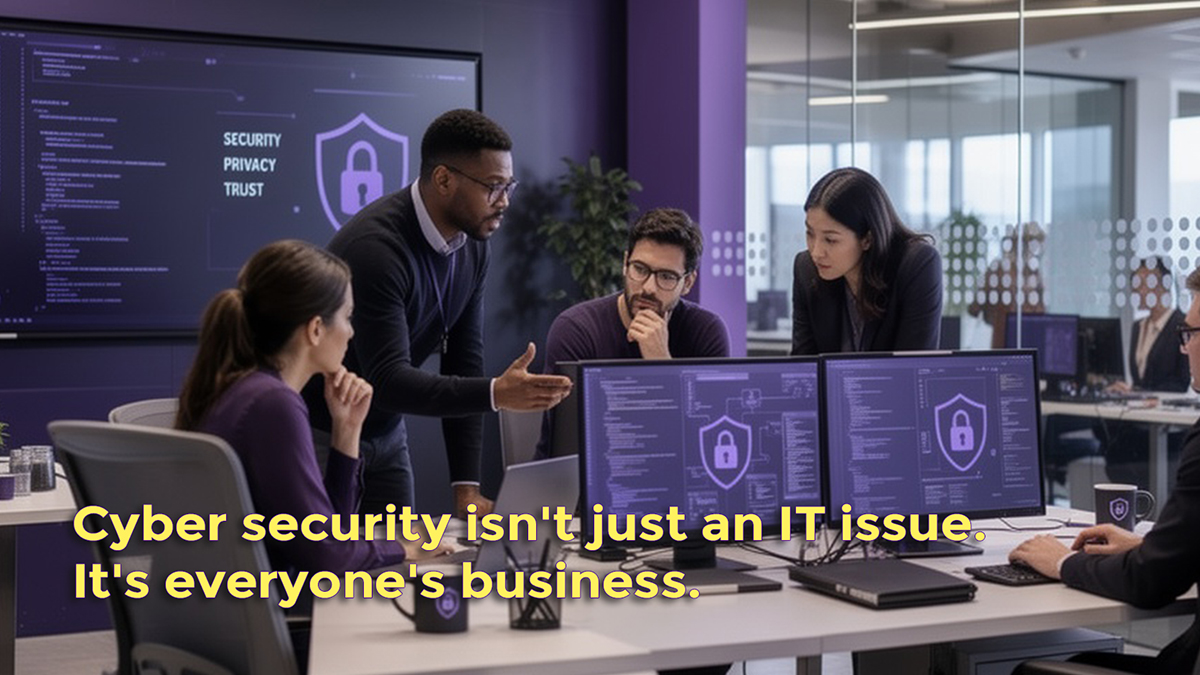
The good news is that protecting your business does not have to be complicated. Take a few straightforward steps to make life much harder for cybercriminals and start by recognising that cybersecurity isn’t just an IT issue.
It is everyone’s business.
Start with the people
Technology can do a brilliant job of protecting a business, but it can’t always protect us from ourselves.
Phishing remains one of the biggest ways criminals try to gain access to businesses. A phishing email might look like it came from a supplier, a customer, your bank, a colleague, or even your Managing Director.
It might ask you to open an attachment, click a link, change bank details or make an urgent payment.
Sadly, scams are evolving and becoming remarkably convincing.
So, before clicking, stop for a moment and ask yourself:
- Was I expecting this?
- Does the request make sense?
- Is the sender really who they say they are?
- Am I being pushed to act quickly?
If something doesn’t feel right, don’t be afraid to check.
Contact the person or organisation using a telephone number or email address you already know rather than using the details in the suspicious message.
And if you do click something you shouldn’t, don’t panic and don’t try to hide it. Tell someone straight away. The sooner you identify a potential problem, the sooner you can deal with it.
Don’t put all your trust in passwords
We have all been told for years to use strong passwords. And that’s still important where passwords are used.
However, the way we protect our online accounts is changing.
The National Cyber Security Centre now recommends using passkeys where they are available. Passkeys let you sign in using built-in device security, such as a fingerprint, facial recognition, or PIN, instead of a password that could be stolen through phishing.
Where passkeys are not available, use a strong, unique password and turn on two-step verification (2SV).
It is especially important to protect accounts that would cause serious problems if your business or school is compromised.
Think about your email account, online banking, payroll, cloud storage, social media, website administration and other systems containing important business or customer information.
Former employees, suppliers or contractors should also be considered. When someone no longer needs access to a system, it is really important that you remove or disable their account.
A surprising number of security problems start with access which nobody realised still existed.
Keep your devices up to date
That little notification that an update is ready can be easy to ignore.
How many times have you said or heard someone say: “We’ll do it later” or “We’re too busy – it can wait until tomorrow”? Security updates exist for a reason.
Cybercriminals constantly look for weaknesses in software and devices. Keeping operating systems, applications, phones, tablets and other connected devices up to date helps to close any known security gaps.
The same applies to the equipment people use when working away from the office. A laptop in a coffee shop, a tablet at a customer’s premises or a mobile phone containing business information all need to be treated as part of your business’s security.
Think of it like locking your house doors.
You wouldn’t knowingly leave the front door open overnight. Your digital doors deserve the same attention.
What happens if something goes wrong?
Even with strong security measures, no business should assume nothing will ever happen to them.
That is why backups matter.
A cyberattack could make your data inaccessible, but it could also disappear if a laptop is stolen, a device fails, or someone accidentally deletes something important.
Your backups should cover the information your business or school relies on, from documents and personal contact information to emails, financial records, and other essential data.
There is also another important question:
Could you actually restore your business from your backups if you needed to?
An untested backup can be a major cause for concern, especially when you’re facing a crisis.
It is also worth thinking about what you would do if an attack did happen.
- Who would your staff contact?
- Who has responsibility for shutting down the affected systems?
- Who would speak to customers?
- Who needs to know?
A simple plan means you have those answers worked out before you have to act.
What about AI?
Artificial intelligence is changing how businesses work, and there are plenty of good reasons to use it, but cyber criminals are using it too.
AI can help attackers create really convincing messages, research potential targets, and make some cyberattacks quicker and more effective.
That means we simply can’t rely on the old-fashioned signs of a scam.
Poor spelling and strange wording might once have made a suspicious email easy to spot. Today, a convincing message can look perfectly professional.
In this case, the golden rule remains the same:
Don’t trust a message simply because it looks right.
Check the request. Check the sender, and if money, passwords or sensitive information are involved, take an extra moment to pause before acting.
Cybersecurity is a team effort
The most important thing to remember is that cybersecurity isn’t solely your IT team’s responsibility.
Everyone in a business has a part to play.
From the person opening the morning’s emails to the finance team member making payments, from the receptionist using a shared device to the Director accessing company information from home, everyone can help keep the business safe.
With the right technology, sensible systems in place, and a team that knows what to look for, you can reduce the chances of a small problem becoming a much bigger one.
How secure is your business?
If you’re not sure whether your business has the right protection in place, now is a good time to take a fresh look.
At CBS, we understand that every business is different. Our IT team can help you look at the technology, systems and support your business relies on and identify where improvements may be needed.
Cyber security doesn’t have to be complicated. But it does need to be taken seriously.
If you’re not sure where to start, talk to CBS.
One Team. One Place. Many Possibilities.
If you would like to find out how CBS could support your business or school, speak to one of our dedicated IT Account Managers today.
Contact the CBS team to discuss your IT requirements.
Call: 01274 496 220
Email: james.lyles@commercebusinesssystems.co.uk